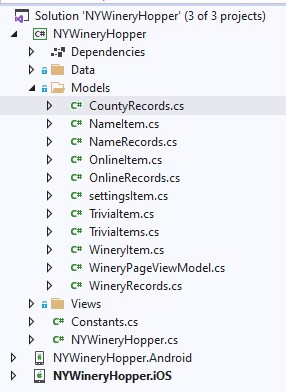
Xamarin Cross-Platform Solution Creating the Models Directory
We will begin with our Models directory. This is not necessarily created by the template chosen in the beginning, so you may need to right-click on the Portable Class Library (PCL) project and Add-New Folder. As you can see, most of these are created as pairs with Item and Records files. As we discover the C# code behind each of these classes, the reason for this design will become quite obvious As shown above, each of these files is a cs class file. These are created with a right-click on the Models directory, Add – Class. CountyRecords.cs, one of the single-file classes, contains the code shown below. using System.Collections.Generic; namespace NYWineryHopper.Models { public class CountyRecords { public List<string> records { get; set; } } } Why is this a “single-file”…