
Building Your PHP Rest Service (step 2)

Building Your PHP Rest Service (step 2)

PHP, REST
In the article for step 1, we set up the directory structure and covered the config directory. Using standard top-down approach, we are moving on to the objects directory today. In this REST service, we have a list of wineries, their online listings and a trivia page. This means we need three object files inside of the directory – online.php, trivia.php and wineries.php. The code shown below is for online.php. <?php class Online{ // database connection and table name private $conn; private $table_name = "Online"; // object properties public $id; public $description; public $url; public $recid; // constructor with $db as database connection public function __construct($db){ $this->conn = $db; } function reviewsById($id){ // select reviews for winery $query = "SELECT id,description,url,recid FROM " . $this->table_name . " where id = ?…
Read More
Building Your PHP Rest Service (step 1)

Building Your PHP Rest Service (step 1)

Featured, PHP, REST
he first thing to do is create the directory structure. For our Representational State Transfer (REST) Read services we are using the directory structure shown below from our WordPress site File Viewer The basic file called core.php goes into our config directory. Code for that file is: <?php // show error reporting ini_set('display_errors', 1); error_reporting(E_ALL); // home page url $home_url="http://localhost/api/"; // page given in URL parameter, default page is one $page = isset($_GET['page']) ? $_GET['page'] : 1; // set number of records per page $records_per_page = 5; // calculate for the query LIMIT clause $from_record_num = ($records_per_page * $page) - $records_per_page; ?> In that same Config directory, we have a file called database.php. The code in that file is: <?php class Database{ // specify your own database credentials private $host…
Read More
Appalachian Trail Userform-VBA Creation

Appalachian Trail Userform-VBA Creation

Excel, VBA
We will start by showing you the first snippet of VBA code and proceed with an explanation. Sub novloc() Dim offnbr, offnbr2 As Variant currow = ActiveCell.Row nbr = Range("AG" & currow).Value Sheets(3).Activate offnbr = Application.Match(nbr, Range("a5:a1515"), 1) Range("a5").Offset(offnbr, 0).Activate WhereAmI.Label4.Caption = ActiveCell.Offset(0, 1).Value ctyst = ActiveCell.Offset(0, 4).Value + " - " WhereAmI.Label6.Caption = ActiveCell.Offset(0, 2).Value Sheets(4).Activate offnbr2 = Application.Match(nbr, Range("a2:a292"), 1) Range("a2").Offset(offnbr2, 0).Activate WhereAmI.Label5.Caption = ctyst + ActiveCell.Offset(0, 5).Value WhereAmI.Label9.Caption = Str(ActiveCell.Offset(0, 6).Value) + " /" + Str(ActiveCell.Offset(0, 7).Value) Sheets(3).Activate 'If ActiveCell.Offset(0, 1).Hyperlinks(1).Address <> "" Then If ActiveCell.Offset(0, 1).Hyperlinks.Count > 0 Then WhereAmI.Label7.Caption = ActiveCell.Offset(0, 1).Hyperlinks(1).Address WhereAmI.CommandButton2.Visible = True End If Sheets(1).Activate WhereAmI.Show End Sub You should have downloaded walktheat.xlsm and explored the usage of the “Location” and “LongLat” sheets. We have two other sheets named “Log2021” and “Log2022” which have…
Read More
Walk the Appalachian Trail Userform Creation

Walk the Appalachian Trail Userform Creation

Excel, VBA
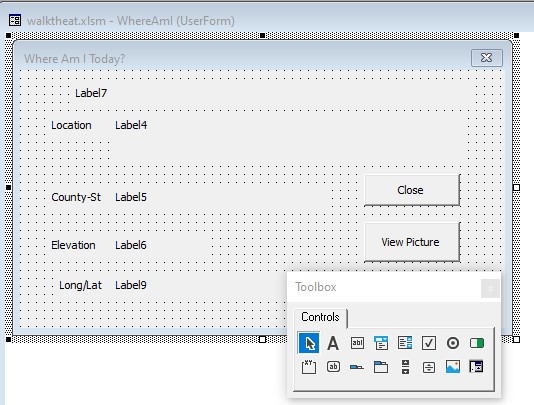
As you have probably noticed, Excel can be quite powerful for number crunching applications. If you need to do statistical, chemical, loan, and many other calculations these are easily accomplished using basic, built-in, Excel functions. This application uses basic SUM functionality to tally the total mileage. That is the easy part. We will extend this functionality greatly using VBA code to perform a VLOOKUP of the total mileage in both the “Location” and the “LongLat” sheets. Our code will then display this information in a user-friendly form (shown below). This form was created using the VBA editor (alt-<F11> or click the button on the developer bar). See Appendix A for directions on how to display the developer bar in Excel 2010. The name of the form is “WhereAmI” and the…
Read More
Walk the Appalachian Trail Spreadsheet Creation

Walk the Appalachian Trail Spreadsheet Creation

Excel, Featured, VBA
We will start with the basic excel sheet design. Place the word “Month” in cell A1 and numbers 1 to 31 in B1 to AF1. Also place the word “Total” in cell AG1. Now place the months “January” to “December in cells A2 to A13. You have completed the basic spreadsheet that we will be using. Now we will add the first bit of functionality to the spreadsheet by activating the TOTAL column. Go to cell AG2 and type in (without the quotes) “=SUM(B2:AF2)” and press the <Enter> button. It will display 0 because you haven’t yet entered any mileage. Do you think that you can copy that formula down for the rest of the rows and be finished with the totals? This would work to total only each row,…
Read More
Random Task Scheduler Console Application

Random Task Scheduler Console Application

C#, Console App
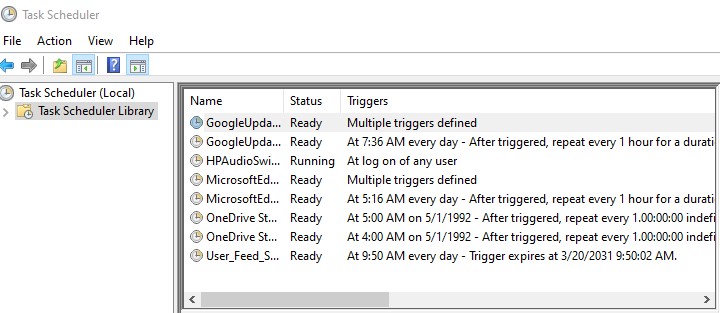
Here is the scenario: Your boss asks for a program to be scheduled at a random time every day of the week. In your proactive mindset, a program will be designed to schedule any program to be executed either daily or weekly. And now we get to use our tools and ingenuity to create that solution. Let’s create our new project after starting our favorite version of Visual Studio. In this case, we are using Community Edition of Visual Studio 2019 version 16.9.2 We will be creating a .Net Framework console app, as shown to the left. After typing in the project name, you should be able to leave the remaining selections at default. Click Create. Now you will be presented with an empty Main(string[] args) method. Place the code…
Read More
Google Site Kit Setup Blocked Wordfence – 403 Error

Google Site Kit Setup Blocked Wordfence – 403 Error

Security, WordPress
Are you trying to activate Google Site Kit on your WordPress site? How did it go? Well, if you have Wordfence installed to monitor your pages for illicit activity, probably not so well. Wordfence will catch and block your attempt to connect the site to Google and send back a 403 error. This is not a problem, you may be thinking. Once I see “A potentially unsafe operation has been detected in your request to this site,” I can disable Wordfence and continue on without issue. You would be correct if that is the main site in your host’s directory structure. Just don’t forget to enable Wordfence after the changes are finished. What if you don’t even have Wordfence installed on your site but still get that message. Yes, this…
Read More
Create New WordPress Post Version 5.7.1 Block Editor

Create New WordPress Post Version 5.7.1 Block Editor

Web Design, WordPress, Yoast
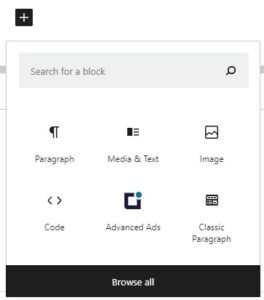
First, log into your WordPress instance with a user who has a minimum of Contributor rights (or Author/Editor/Administrator). On the left side menu click on Posts and Add New. You are on your way now … To begin, enter the title of your blog post. As you can tell from the block used above, I like to format my blog posts with a Media & Text block as the first design style at the top of my post. This, of course, is completely up to you. In this post, we will be starting with that block plus many others. We will also cover the Yoast SEO plugin which can help greatly in your Search Engine Optimization efforts. We are going to select the Media & Text block style to begin…
Read More